
Drive for work in your own car? Get every mile repaid.
Sales reps, home-health aides, field technicians, consultants — if your employer or client pays you per mile, every drive you forget to log is money you don't get back. MileAudit logs work drives automatically and turns them into a report you can submit.
7-day free trial · Web dashboard available today · iPhone app coming soon

Who uses MileAudit for reimbursement
Anyone who drives a personal car for someone else's business.
Sales reps and field staff
Client visits, territory driving and site calls that your employer repays per mile.
Home-care and visiting staff
Home-health aides, caregivers and visiting nurses driving between patients.
Consultants and contractors
Client contracts that pay travel at a set per-mile rate.
From drive to reimbursement report
Set your rate once, classify drives as you go, and export at the end of the month.
- Automatic drive detectionThe phone app records each drive's route, distance and time in the background — no timer to start.
- Your employer's or client's rateSet your own per-mile rate for a year, and estimates and reports use it for that year's business drives.
- Business or personal in one swipeEvery new drive waits in your review list. Swipe or tap to classify it and add a business purpose.
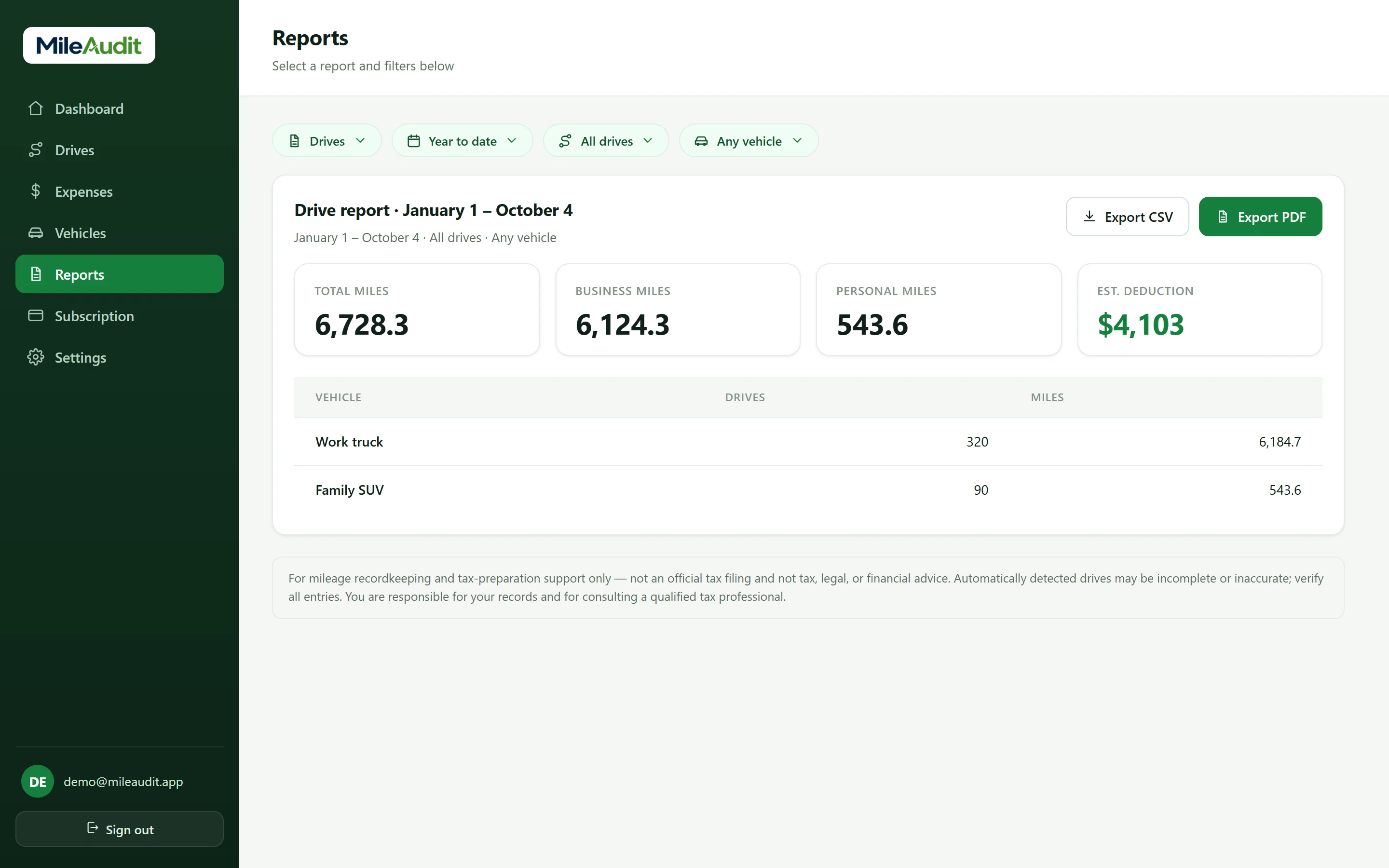
- PDF & CSV reportsExport any date range. The CSV lists every drive's date, start and end, miles, vehicle and business purpose.
Expense categories you'll use
Built-in, Schedule C–style categories — plus any custom categories you create.
- Business Travel
- Vehicle
- Meals
- Supplies
- Communications
- Other
Example only. Employer and client rates vary — use the rate your employer or client sets. MileAudit is a recordkeeping tool and does not provide tax advice.
Good to know
General information, not tax advice. Rules depend on your situation — confirm with a qualified tax professional.
- Reimbursements paid under an employer's “accountable plan” — with a mileage log and a rate at or below the IRS rate — generally aren't taxable income to you.
- Since 2018, most employees can't deduct unreimbursed work mileage on their federal return. Getting reimbursed is usually the only way to recover the cost, so a complete log matters.
- Your regular commute between home and your usual workplace is generally not reimbursable business mileage. Check your employer's policy for what counts.
- MileAudit's custom rate applies to all of a year's business drives. If your employer's rate changes mid-year, ask how they want the change shown.
Frequently asked questions
Can I use my employer's per-mile rate instead of the IRS rate?
Yes. Under Mileage rate in Settings (Preferences on the web, Mileage & Units in the app), set your own rate for any year. MileAudit warns you first, then uses it for that year's estimates and reports.
What does the report include?
The PDF shows drives with date, route, miles and value, plus totals by vehicle. The CSV lists every drive's date, start and end location, times, miles, vehicle and business purpose.
Can I submit expense receipts too?
Yes. Scan receipts for work purchases, then export an expense report by category for the same dates.
Does my employer need an account?
No. MileAudit is your own record. You export the report and send it however your employer collects reimbursement requests.
MileAudit for other kinds of work
The same app, built for anyone whose car and receipts are part of how they earn.
Self-employed & freelancers
Miles and expenses in one place, without the shoebox.
Rideshare & delivery
High-mileage weeks and fuel receipts add up fast.
Real estate agents
Showings, client drives, and marketing costs, organized.
Contractors, trades & construction
Job-site miles by vehicle, plus supply-run receipts.
Small business owners
One tidy set of records for you and your accountant.
Food & beverage
Supply runs, catering deliveries, and every ingredient receipt.
Nonprofits
Staff and volunteer drives, logged for reimbursement and records.
Start tracking miles and expenses today
Try MileAudit free for 7 days on the web now, and bring your account to the iPhone app when it lands.
Start your free trial