
Every mile you drive for every app, logged automatically.
Rideshare and delivery drivers rack up more miles in a month than most people do in a season. MileAudit records each drive in the background, so the miles between rides and deliveries don't slip away — whichever apps you drive for.
7-day free trial · Web dashboard available today · iPhone app coming soon

Why your own mileage log matters
Platform tax summaries only reflect what each app can see. Your own log covers the whole picture.
All your apps in one log
Drive for two or three platforms? One MileAudit log covers all of them, so nothing is double-counted or missed.
Miles outside the app
Platform summaries only count miles while you're online in that app. Trips like a car wash or a supply run aren't in them.
Receipts for the costs you pay
Phone, car washes, parking, tolls — and fuel and repairs if you use actual car expenses.
Built for high-mileage weeks
Dozens of drives a day shouldn't mean dozens of minutes of paperwork.
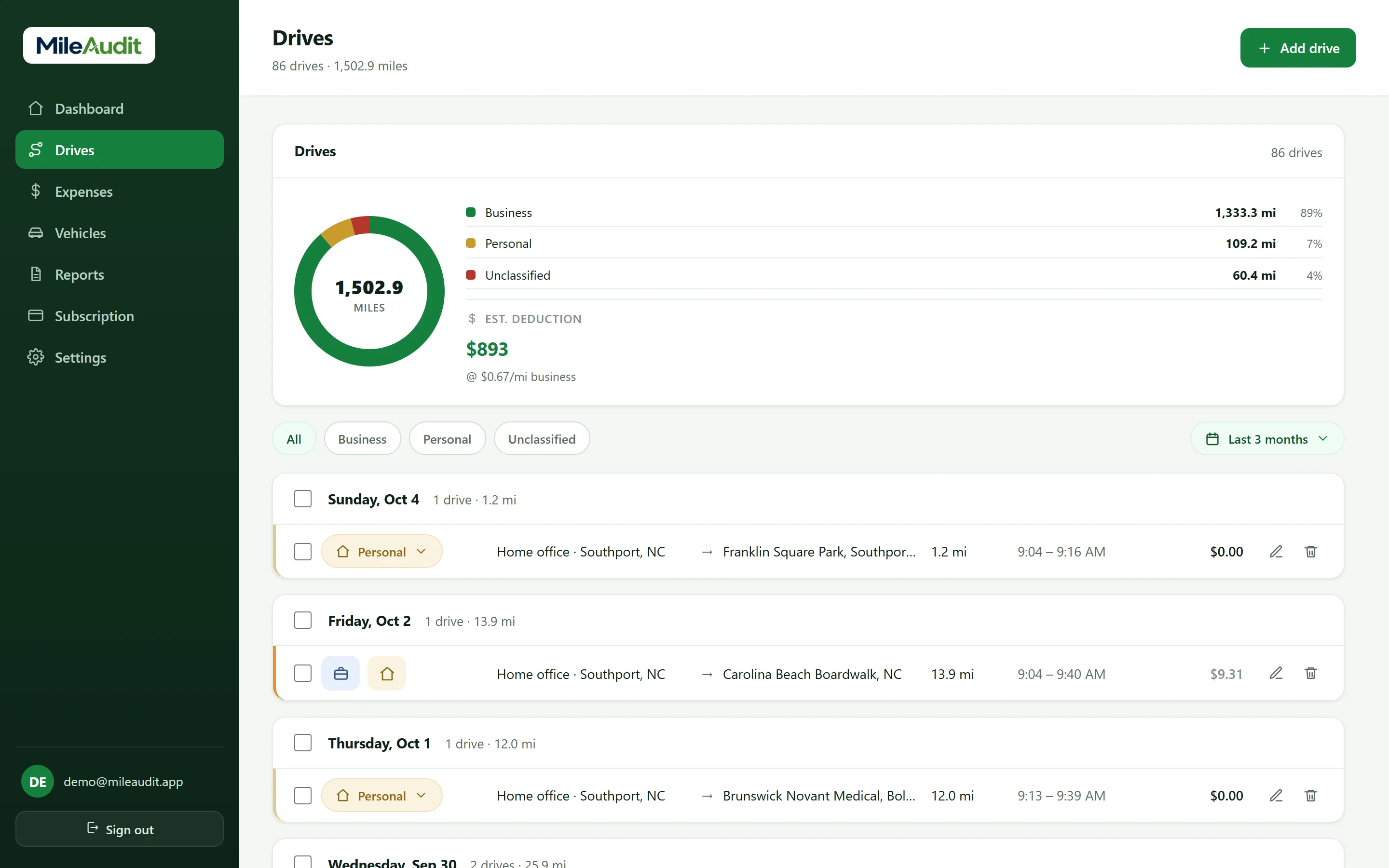
- Automatic drive detectionThe phone app records each drive's route, distance and time in the background — no timer to start.
- Business or personal in one swipeEvery new drive waits in your review list. Swipe or tap to classify it and add a business purpose.
- Fix drives the way they happenedJoin stop-and-go trips into one drive, edit a route, or add a drive by hand.
- Reminders and summariesOptional phone reminders when drives need sorting, plus weekly and month-end summaries.
Expense categories you'll use
Built-in, Schedule C–style categories — plus any custom categories you create.
- Vehicle
- Communications
- Repairs & Maintenance
- Supplies
- Business Insurance
- Other Misc Expenses
*Example only, using the 72.5¢-per-mile IRS standard rate in effect at the start of 2026. Rates change, sometimes mid-year — MileAudit values each drive at the rate for its date. MileAudit is a recordkeeping tool and does not provide tax advice; confirm your eligibility with a qualified professional.
Good to know
General information, not tax advice. Rules depend on your situation — confirm with a qualified tax professional.
- The standard mileage rate already covers gas, oil, maintenance, insurance and depreciation, so you can't also deduct fuel with it. Parking and tolls are the exception — they're deductible on top.
- If you use actual car expenses instead, keep every fuel, repair and insurance receipt, plus your business-use percentage — which your mileage log shows.
- Which miles count as business — like the drive home after your last trip — depends on your situation. Log everything and ask a tax pro how to treat the edge cases.
- The IRS expects each business drive's date, miles and business purpose, recorded at or near the time. Your platform's annual summary is helpful, but it isn't a full log of your own.
Frequently asked questions
Does MileAudit work with Uber, Lyft, DoorDash and other apps?
MileAudit doesn't connect to driving platforms. It tracks your phone's drives on its own, so it works the same whichever apps you drive for — and keeps them all in one log.
Will it record every drive automatically?
Yes, in the phone app. With location permission it detects drives in the background, even with the app closed. You review each one and mark it business or personal. The iPhone app is coming soon; the web dashboard works today.
Can I deduct gas if I use the standard mileage rate?
Generally no — the standard rate already includes fuel. Parking and tolls can be deducted separately. Confirm your situation with a tax professional.
How do I give my records to my tax preparer?
Open Reports, pick the year, and export your drives and expenses as PDF or CSV.
MileAudit for other kinds of work
The same app, built for anyone whose car and receipts are part of how they earn.
Self-employed & freelancers
Miles and expenses in one place, without the shoebox.
Real estate agents
Showings, client drives, and marketing costs, organized.
Contractors, trades & construction
Job-site miles by vehicle, plus supply-run receipts.
Small business owners
One tidy set of records for you and your accountant.
Mileage reimbursement
Log work drives and get repaid by your employer or client.
Food & beverage
Supply runs, catering deliveries, and every ingredient receipt.
Nonprofits
Staff and volunteer drives, logged for reimbursement and records.
Start tracking miles and expenses today
Try MileAudit free for 7 days on the web now, and bring your account to the iPhone app when it lands.
Start your free trial